This article is based on the real trial-and-error I went through while preparing to ship a Windows desktop app. I originally posted parts of this story on a Korean developer community and later reorganized it here. Prices and policies can change at any time, so please verify everything on the official pages before you pay.
0. How it all started
I’m a former consultant who didn’t know a thing about coding—couldn’t even print Hello World!, only ever used Ctrl+C / Ctrl+V in Excel. After getting laid off, I stumbled into “vibe coding” with AI and decided my first project would be an ambitious desktop app.
When I finally tried to share it with friends so they could test it on their MacBooks and Windows PCs, everyone hit the same wall: they couldn’t install it. That’s when I learned that distributable apps need code signing and notarization—proof that the file hasn’t been tampered with between the developer and the end user.
The process and cost turned out to be far more daunting than I expected.
1. What app signing and notarization actually cost me
The Mac side turned out to be surprisingly smooth.
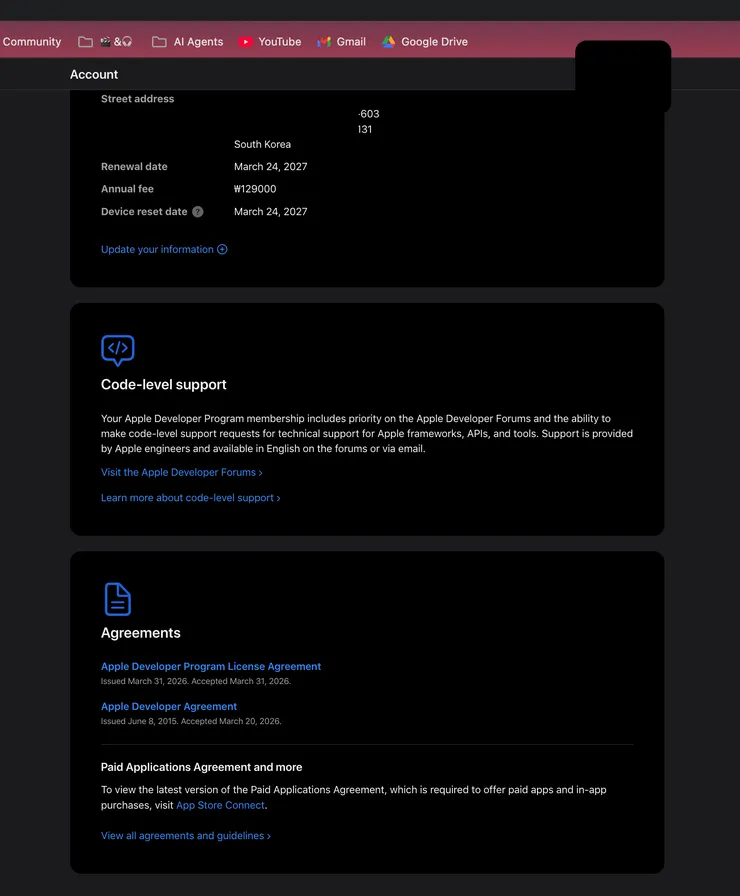
- Apple Developer enrollment costs
~$95per year. - After registration, the packaging → signing → notarization flow was more seamless than I expected.
- Installation and auto-update via
electron-updaterworked reliably from day one.
In my case, once I finished enrollment and connected Codex, the entire chain—packaging, signing, Apple server submission, notarization—ran almost like a single pipeline. When I tested the installer on a friend’s MacBook, it installed cleanly with no “Unknown Developer” warning and auto-updates worked out of the box.
But Windows was a completely different story.
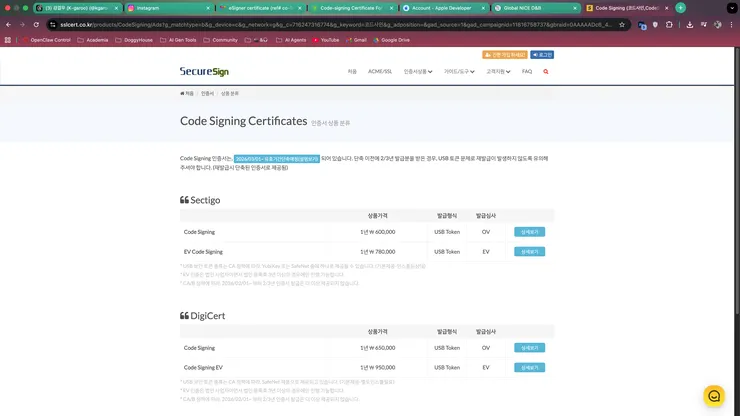
- OV code signing certificates are expensive to begin with.
- Going through a local reseller inflates the price even further.
- Some vendors force you to purchase a physical USB security key (like a YubiKey).
- Having to plug in hardware every time you sign makes CI/CD automation painful.
2. Why Windows OV code signing is so punishing for indie developers
To bypass SmartScreen warnings and installation blocks on Windows, you need a trusted certificate—and that means passing business verification, whether you’re a sole proprietor or a corporation. At the time I researched this, certificates came in tiers like IV / OV / EV, and OV was the minimum realistic option for distribution.
The problem was the local reseller model. Resellers apply for overseas CAs like SSL.com or DigiCert on your behalf, but their markup was absurd. The certificate itself was already expensive, automation was difficult, and on top of that they charged extra for a physical key.
I couldn’t accept this. For someone like me—who can’t write a single line of code without an AI agent—being told I’d need to physically plug in a USB key and manually sign every build was a dealbreaker.
So I asked the developer community first.
The general response was “yeah, that’s just how it works”—but I refused to accept that.
3. The alternative I found on Reddit: SSL.com direct purchase + Cloud eSigner
The real hint came from English-speaking developer communities. AI tended to give overly generic answers, but on Reddit, people who had actually shipped Windows apps shared much more practical alternatives.
At first, Microsoft’s Azure Trusted Signing looked promising—good pricing and solid automation. But at the time I checked, it was primarily available to individual developers in Canada and the US, so it wasn’t an option for me.
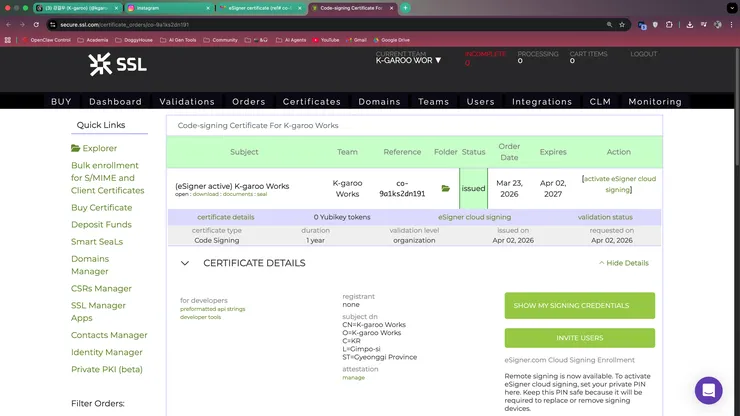
What I ultimately went with was the combination of SSL.com direct purchase + Cloud eSigner.
Based on the pricing I found at the time:
- With a traditional USB key setup, the total cost felt like it would land around
$500. - But the OV certificate at $128 + Cloud eSigner at $20/month combination appeared to be a newer, leaner plan.
- This felt like the cheapest and most automation-friendly option available.
Practical summary
The lowest-cost option I actually pursued
Instead of going through a local reseller, I based my calculation on the Windows OV code signing direct-purchase route. The biggest win was not having to wait for a physical USB key.
Three reasons this approach stood out:
- It cut out the reseller markup entirely.
- No waiting weeks for a physical USB key to ship.
- It opened the door to automating the signing process with Codex later.
4. The real hurdle during SSL.com certificate issuance
Cloud eSigner itself was quite appealing. The monthly subscription might seem wasteful at first glance, but it eliminates the need for physical keys and plays nicely with automation.
The hard part, though, was the issuance process itself:
- Business registration documents
- Personal identity verification
- Proof that I’m a real person
- Proof that my business actually exists
After clearing all of that, SSL threw one more requirement at me: provide a D-U-N-S number so they could verify my address, phone number, and email.
I couldn’t help but think: if this was a required step, why didn’t they mention it upfront?
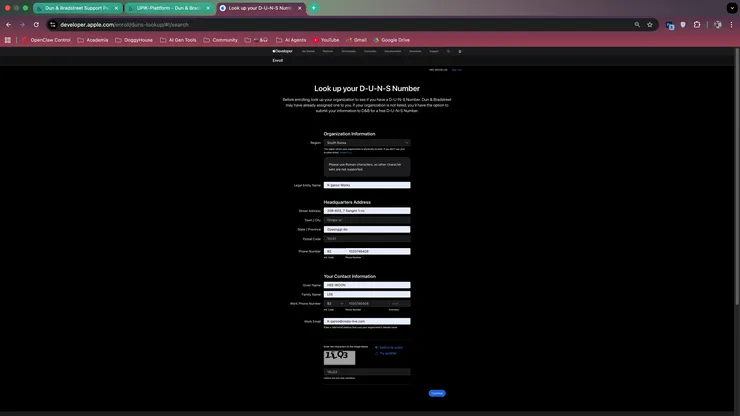
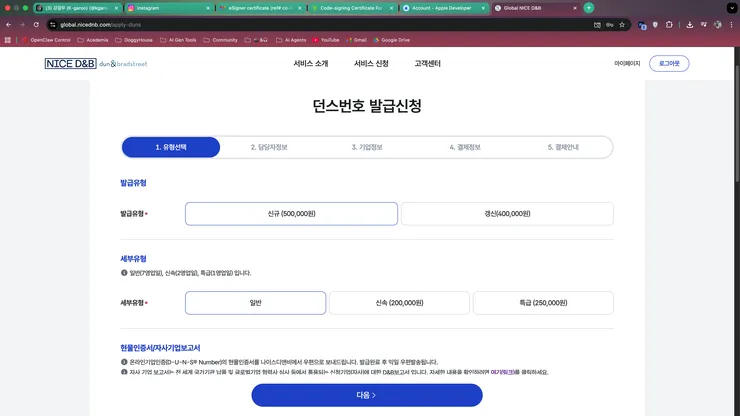
5. The breakthrough: requesting D-U-N-S through Apple Developer
Getting a D-U-N-S number independently can involve additional fees and paperwork. I hit a wall here too and started wondering if my “budget-friendly direct purchase” would end up costing more than the reseller route.
But once again, Reddit came through. Someone shared this tip:
If you’re already enrolled as an Apple Developer, Apple can connect you with D&B to request a D-U-N-S number for business verification purposes.
Here’s the official reference I used:
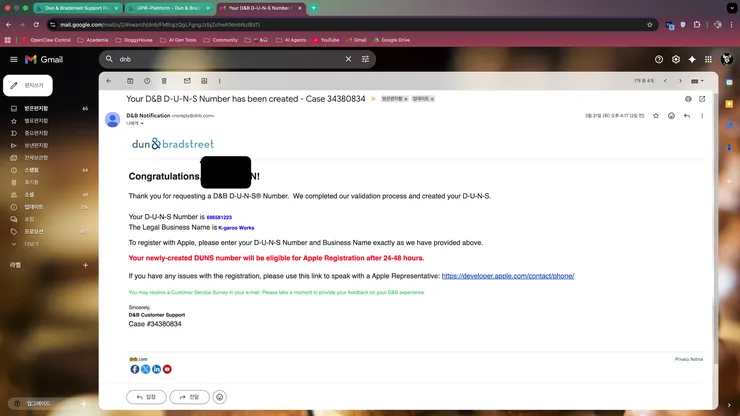
This matters because developers who are already commercializing apps in the Apple ecosystem can reuse the same business information. In my case, I was able to secure a D-U-N-S number under "K-garoo Works" relatively quickly through this path.
No exaggeration—this is what saved me from spending even more money while trying to find the cheapest Windows certificate route.
6. Getting the D-U-N-S number wasn’t the end
Thanks to Apple, I received my D-U-N-S number fairly quickly. But that wasn’t the finish line either.
When I submitted the number to SSL, they said they couldn’t verify it on their end. I checked public lookup sites myself and found that non-US businesses often weren’t properly listed—links would appear active, but the actual verification would fail.
Here’s what the situation looked like:
- Visible within my Apple account ✓
- Visible on the D&B issuing entity’s dashboard ✓
- But public third-party verification links were either dead or unreliable ✗
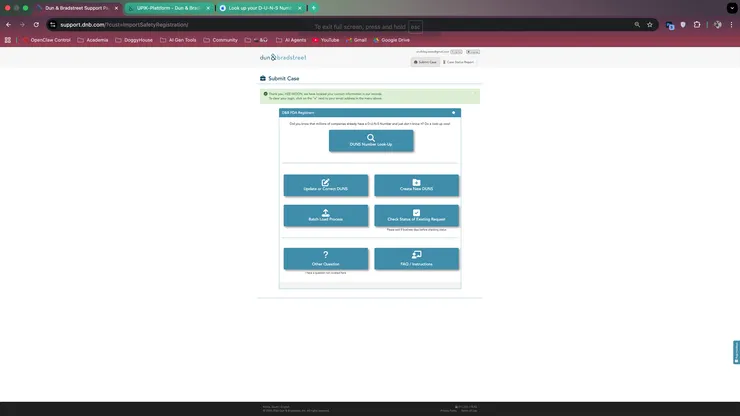
This was baffling. If the number exists but can’t be publicly verified, what’s the point of having it?
7. Finding the final verification route and getting the certificate
I later learned that since late December of the previous year, a disagreement between European data-sharing policies and US operations had left many public D&B lookup links broken—even when the links appeared live, the actual queries were blocked.
So I spent three days going back and forth with SSL support, trying every avenue until—together with a support agent—we found a verification route that still worked. Certain trade-related business verification paths still supported D-U-N-S-based queries, and that was the last thread I pulled.
After three days of working with SSL support, I finally received the certificate and was able to set up Cloud eSigner. With Codex’s help.
Who this approach works best for
This guide is especially relevant if you:
- Already have an Apple Developer membership and have Mac distribution mostly sorted out
- Are a solo developer or small team that needs to ship a Windows installer
- Find local reseller fees unreasonably expensive and want to apply directly
- Want to automate signing as part of your CI/CD pipeline
On the other hand, if your corporate structure is complex or country-specific verification requirements change frequently, it might be faster to work directly with official support from the start.
Key takeaway
If I had to summarize this entire journey in one sentence:
The hardest part of Windows OV code signing wasn’t deciding where to buy the certificate—it was figuring out how to clear business verification and D-U-N-S as cheaply and efficiently as possible.
Here’s the sequence I actually followed:
- Sort out the Mac side first with Apple Developer.
- Skip the local reseller quotes for Windows and look at direct-purchase options.
- Evaluate the SSL.com direct purchase + Cloud eSigner combination.
- Use the Apple Developer route to apply for D-U-N-S.
- If needed, check the D&B support path for final business verification.
Quick-reference links
Official page
SSL.com / Cloud eSignerCommunity context
Clien discussion threadOfficial documentation
Apple Developer D-U-N-S guideSupport channel
D&B Support pageFrequently asked questions
Do I have to buy a Windows OV code signing certificate from a local reseller?
Based on my own experience, no—not necessarily. But keep in mind that business verification requirements and issuance policies can vary by region and change over time. Always double-check the official page right before you pay.
Can I get D-U-N-S for free if I have an Apple Developer account?
What I used was a route available to existing Apple Developer membership holders who need D-U-N-S for app-commercialization business verification. This doesn’t automatically apply in every case, so check both Apple’s and D&B’s guidance before proceeding.